How to Tell if a Photo Has Been Edited (7 Checks That Work)
Not AI — just faked. Learn how to tell if a photo is edited or photoshopped: shadow and edge checks, error level analysis, metadata, reverse search and forensic tools.
Everyone’s asking “is this AI?” — but the older question still does most of the damage: is this real photo edited? A genuine photograph with one object removed, one face swapped in, one detail cloned out is often more deceptive than a fully generated image, precisely because everything else in it is authentic.
Photo manipulation is decades older than diffusion models, and so are the techniques for catching it. Here are seven checks, from the ones you can do with your eyes to the ones that need forensic software. (If you suspect the image is entirely AI-made rather than edited, that’s a different checklist: how to tell if an image is AI-generated.)
1. Follow the light
Light is physics, and editors get physics wrong. Pick the light source (the sun, a window, a lamp) and audit the scene against it:
- Shadows should all fall away from the same source, with consistent length and softness. An inserted person or object often casts a shadow at the wrong angle — or none at all.
- Highlights on faces and objects should sit on the side facing the light. Two people lit from opposite sides in one photo didn’t stand there together.
- Colour temperature should match: a warm-lit subject pasted into a cool-lit room keeps its warmth — a classic composite tell.
2. Inspect edges at high zoom
Cut-and-paste leaves seams. Zoom to the boundary of the suspect and look for a halo of blur or brightness, hair edges that end in a hard cutout line, and background texture that stops abruptly at the silhouette. Editors smooth these seams — smoothing is itself a tell: a subject whose outline is softer than everything else was blended in.
3. Hunt for clone stamps
Removing something means covering it with pixels from elsewhere in the image. That produces repetition: identical clouds, identical grass tufts, the same wall texture appearing twice, a crowd where two faces match exactly. Scan backgrounds for patterns that repeat — nature doesn’t copy-paste.
4. Check the geometry
Straight lines should stay straight and perspective should agree. Warped door frames, bent tiles or wavy railings next to a body outline are the signature of liquify-style retouching. Reflections are the geometry check editors most often forget: mirrors, windows, water and sunglasses should show a consistent scene — an edited subject rarely gets its reflection edited to match.
5. Read the metadata
Open the file’s details (on iPhone: the ⓘ in Photos) or a metadata viewer:
- Editing software listed (Photoshop, Lightroom, an AI editor) doesn’t prove deception — but it ends the “straight from the camera” story.
- Dates that disagree — a “modified” date long after the capture date invites questions.
- Missing metadata entirely on a photo claimed as an original is itself informative; platforms strip metadata, originals from a camera have it.
- Content Credentials, where present, record the actual edit history cryptographically — the strongest evidence in either direction. (How that works: Content Credentials (C2PA) explained.)
6. Reverse-search for the original
The single most decisive check for edited news images: the unedited original often exists. Google Lens or Google Images on the suspect photo can surface the source image — same scene, without the added crowd, the removed sign, the swapped face. This is also the fastest way to catch a real photo re-captioned to a different event, the cheapest manipulation of all.
7. Run forensic analysis
Every edit disturbs the file’s statistical fabric in ways eyes can’t see. Recompression history varies across a spliced image; noise patterns differ between camera sensors; frequency-domain signatures reveal resampled or regenerated regions. Classic web tools (error level analysis and friends) expose some of this but demand expert interpretation — and require uploading your photo to someone’s server.
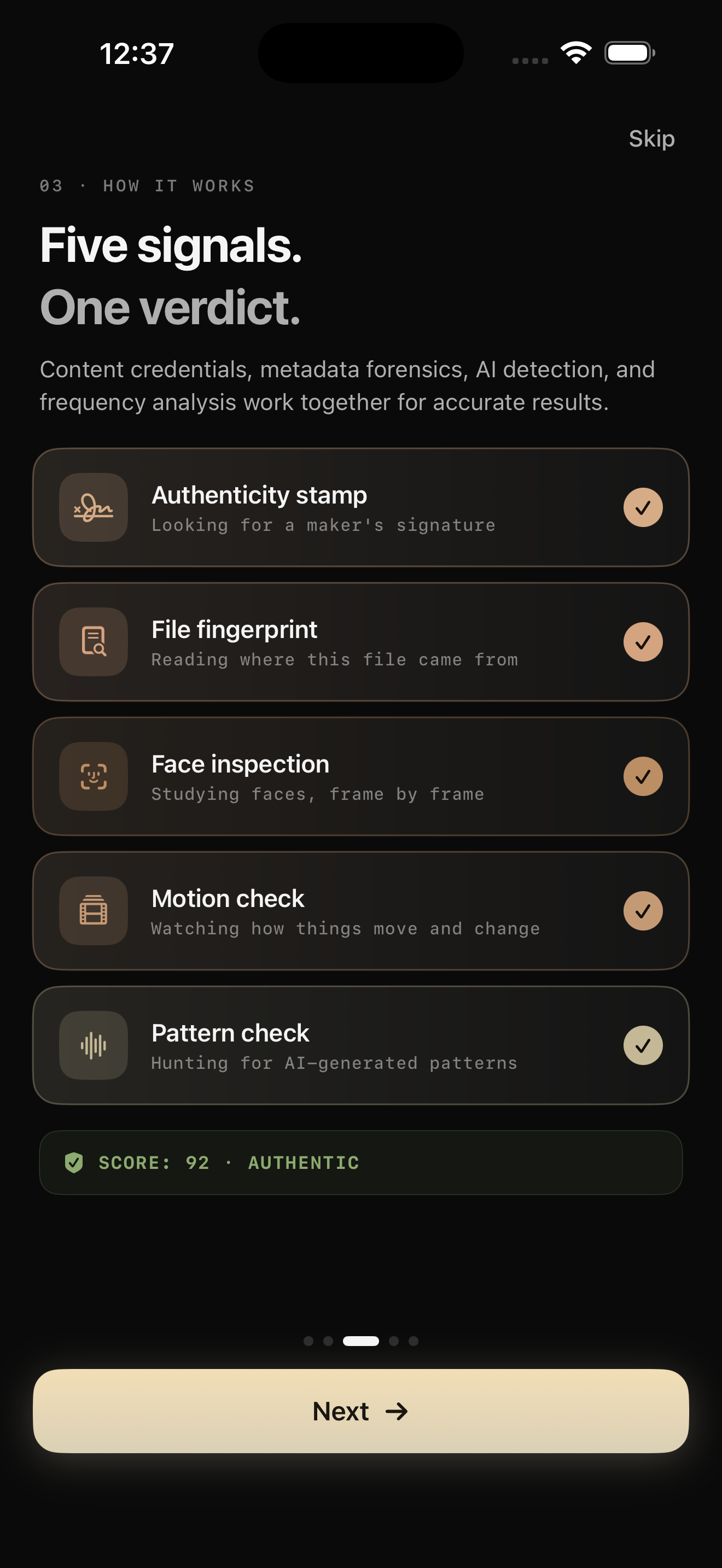
Verifyco runs this class of analysis on your iPhone: metadata and encoding forensics, frequency analysis, neural inspection, and provenance checks, fused into a 0–100 confidence score with a per-layer breakdown — on-device, so the photo you’re questioning never leaves your phone (why that matters). Editing by AI tools (generative fill, object removal) increasingly leaves the same statistical fingerprints as generation, which is exactly what the frequency layer looks for.
The 60-second version
- Light & shadows consistent? 2. Edges clean at zoom? 3. Repeated textures? 4. Straight lines & reflections sane? 5. Metadata story coherent? 6. Reverse search finds an original? 7. Forensic scan verdict?
Frequently asked questions
Can you always tell if a photo has been edited? No — a skilled retoucher working on a high-quality original can beat visual inspection, and heavy compression can destroy forensic evidence in both directions. But most manipulation you’ll actually encounter is fast, careless work, and it falls to the checks above. Treat every result as evidence, not proof.
What’s the best free way to check if an image is photoshopped? Reverse image search, then the light/edges/geometry pass — they cost nothing and catch the majority of casual fakes. For anything consequential, add metadata reading and a forensic analysis pass.
Does editing metadata prove a photo is fake? No. Nearly every published photo has been through software legitimately — cropping and colour correction are editing too. Metadata tells you a file’s story; deception is when that story contradicts the claim being made with the photo.
Is an edited photo the same as an AI photo? Different problems that increasingly overlap. Classic editing changes parts of a real capture; AI generation creates pixels from nothing. Modern AI editors blur the line — generative fill is generation inside a real photo — which is why serious tools check both manipulation signatures and generation fingerprints.
The bottom line
The question behind every suspicious image is the same: does the physics, the file and the paper trail agree with the story? Light, edges, repetition, geometry, metadata, reverse search, forensics — seven checks, one habit: verify before you believe. For the video-side equivalent, start with how to spot a deepfake video.